 North Quasar
What it does
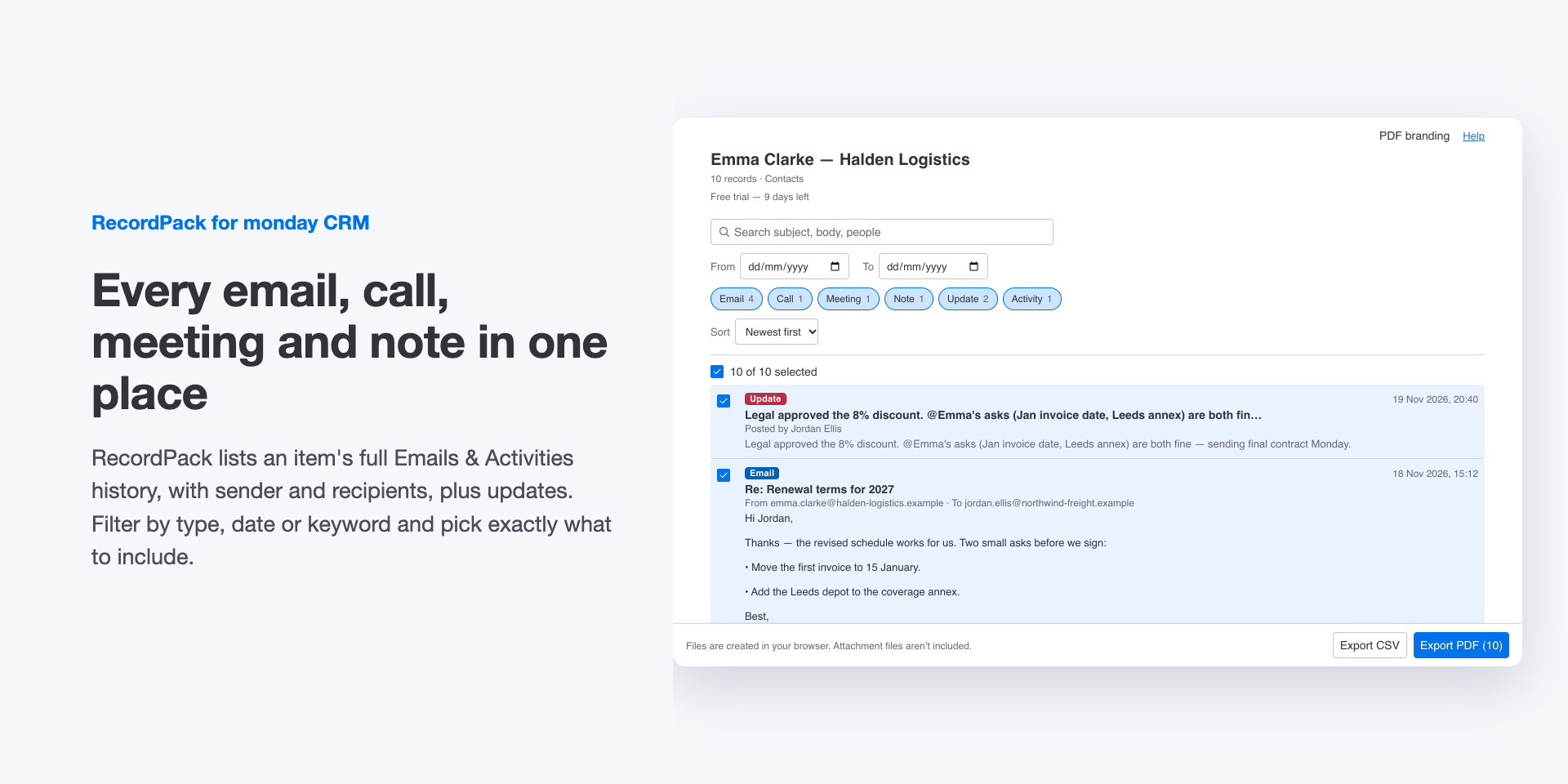
monday CRM keeps every email, call, meeting and note in an item's Emails & Activities tab, but there is no built-in way to take that history with you. RecordPack adds an item view that lists it all and exports exactly the records you pick.
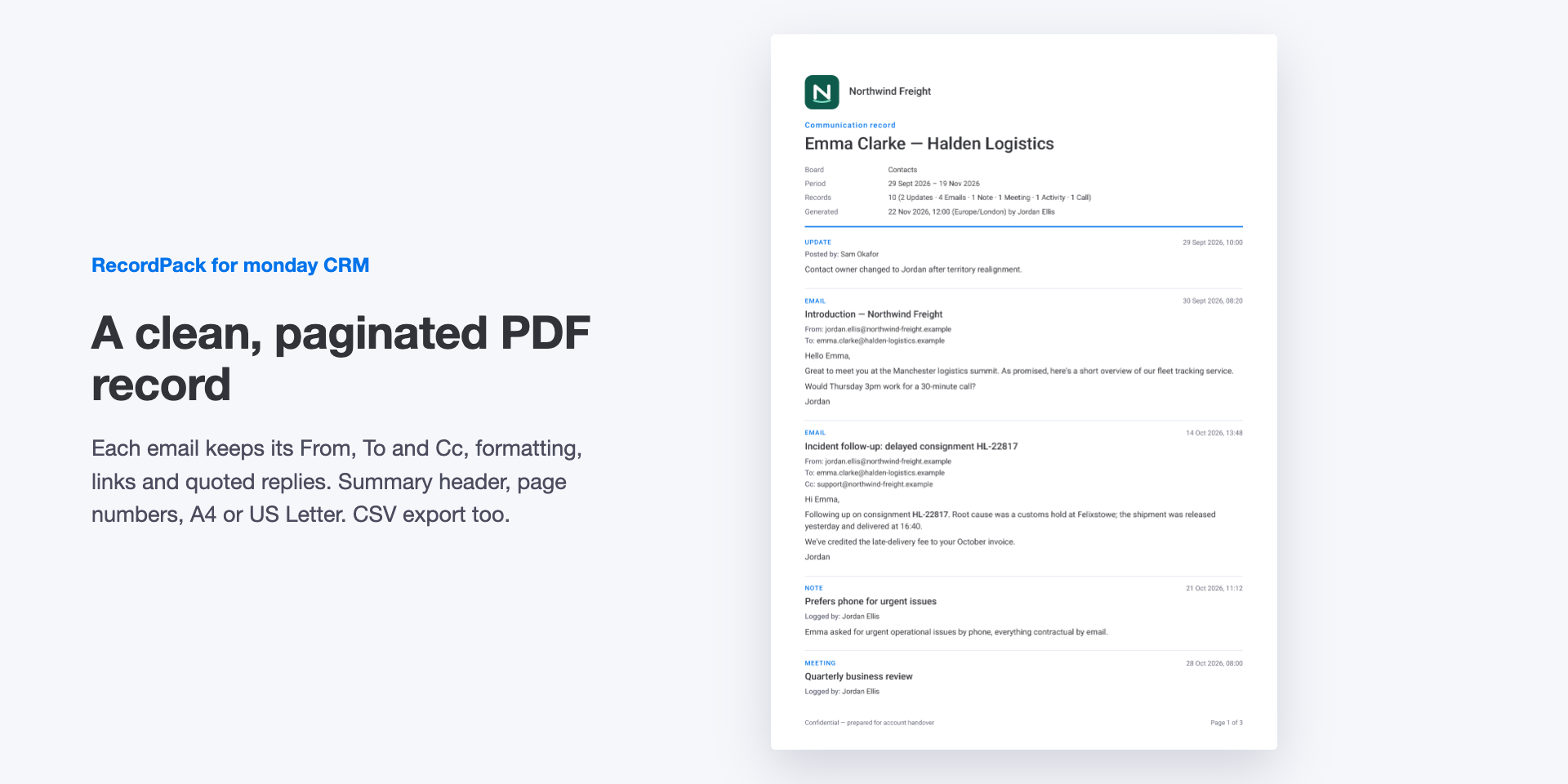
- Emails with their parties: sender, To and Cc on every email (Bcc optional), with the message body, lists, links and quoted replies kept readable.
- Calls, meetings, notes and custom activities, including activity logged on connected items (such as a linked deal), plus the item's updates and their replies.
- Filter and pick: by type, date range or keyword, then tick the records to include.
- Professional PDF: your company name, logo and accent colour, a summary page header, page numbers, A4 or US Letter.
- CSV: one row per record for Excel or Google Sheets, safe against spreadsheet formula injection.
- Private by design: documents are built in your browser. Your communications are never sent to or stored by North Quasar.
Getting started
- Install RecordPack from the monday.com apps marketplace.
- Open any item on a CRM board (Contacts, Leads, Deals or Accounts), click + next to the item's tabs and add the RecordPack item view.
- Filter by type, date or keyword. Untick anything you don't want, or click a title to read the full record.
- Click Export PDF or Export CSV. The file downloads straight to your computer.
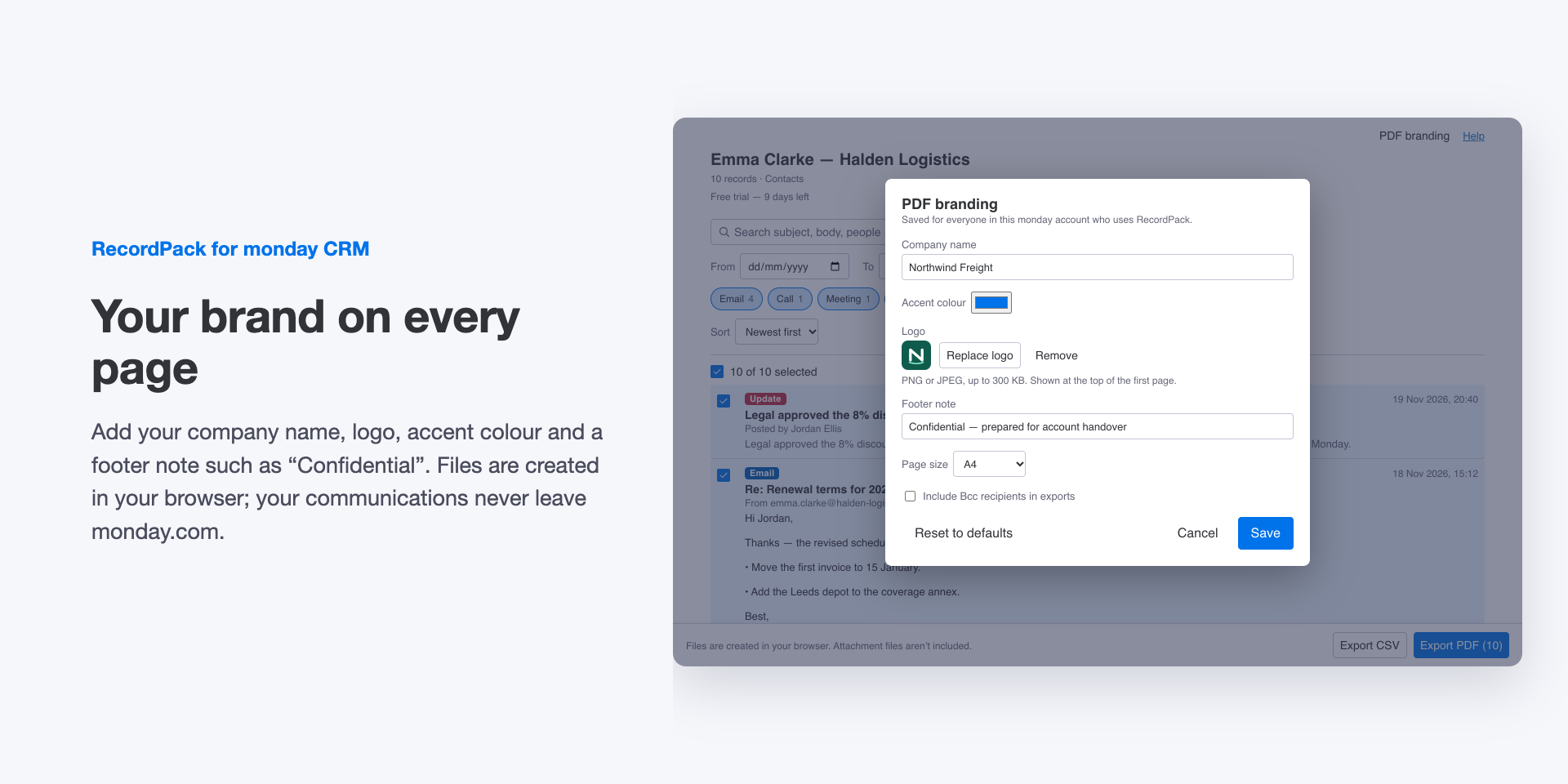
- Optional: click PDF branding to add your company name, logo, accent colour, a footer note (for example "Confidential") and page size. Branding is shared by everyone in your monday account.
What's included, and what isn't
- RecordPack shows what you can see in monday. Emails another user has marked private are only included when that user exports them.
- Activity logged on a connected item (for example a deal linked to the contact) is included, because monday adds it to the contact's Emails & Activities too.
- Files attached to item updates are listed by name. monday doesn't give apps access to email attachments, so those aren't listed or included. No attachment files are embedded in exports.
- Remote images in emails (logos, tracking pixels) are not downloaded. They appear as
[image: description]when the email gives one. - Emails sent before Emails & Activities was connected aren't in monday, so they can't be exported.
- PDFs cover Latin (including accented letters), Greek and Cyrillic text. If the records you pick contain other scripts, such as Japanese, Arabic or Hindi, or emoji, RecordPack tells you before exporting and offers a CSV instead, which keeps every character.
Plans
Browsing and filtering are free. Exporting needs the Standard plan, and every account starts with a 14-day free trial.
Standard
$12 per month, or $120 per year (two months free)
- Per monday account, not per seat: everyone in the account can export
- Unlimited PDF and CSV exports
- Your logo, company name, colour and footer note on every PDF
- Email support, with a reply within two business days
Prices are in US dollars. monday.com handles billing, so you subscribe, change or cancel the plan in your monday account.
Permissions
RecordPack asks monday.com to read boards and items (boards:read), to read updates (updates:read), and to read your name for the "Generated by" line (me:read). It cannot change anything in your account. See the RecordPack privacy policy and terms of service.
Support
Email support@northquasar.com. We aim to reply within two business days.