 North Quasar
What it does
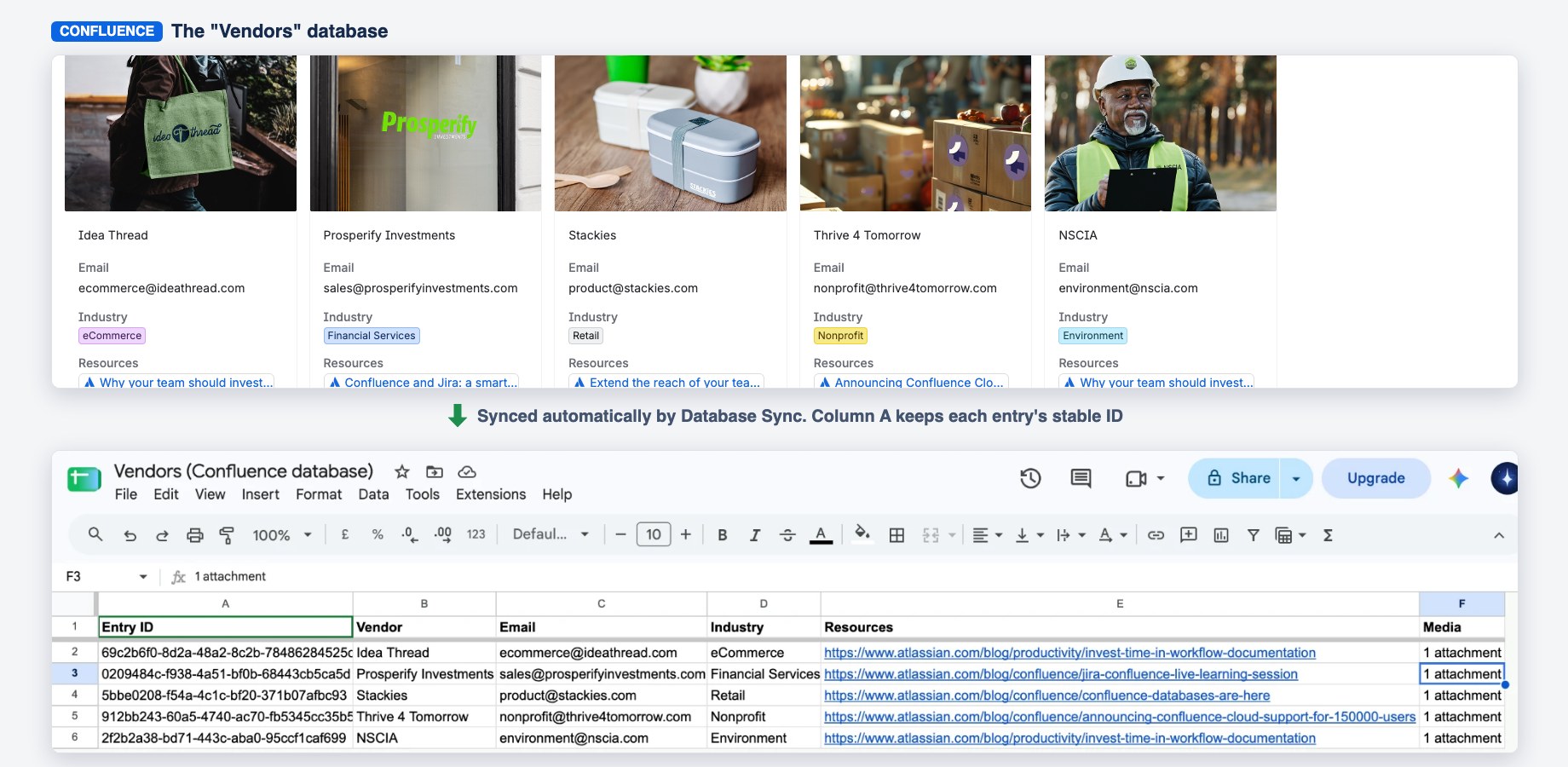
Confluence Databases are great for tracking work, but reporting on them usually means exporting a CSV by hand. Database Sync for Google Sheets copies any native Confluence database into a Google spreadsheet and keeps it current, hourly or daily. Sync is one way: Confluence stays the source of truth.
- All the common field types: text, numbers, dates, checkboxes, tags, people, links, Jira issues and page links. (Lookup fields aren't available through Confluence's API yet.)
- No duplicates: each sync rewrites the tab as a full copy, so rows added, edited or deleted in Confluence show up on the next sync and retries never duplicate rows. Column A holds each entry's stable ID.
- Set and forget: hourly or daily schedules, a "Sync now" button, and a history of every run with plain-language errors.
- Least access: the app can only see the spreadsheets it creates, never the rest of your Google Drive. It stores none of your database content.
Getting started
- A Confluence administrator installs the app from the Atlassian Marketplace.
- Open Confluence settings → Apps → Database Sync for Google Sheets.
- Click Sign in with Google, choose the account that should own the spreadsheets, tick the Google Drive checkbox and continue.
- Click Add sync, choose a database, the fields to include and a schedule.
- The first sync runs right away. Open the spreadsheet from the link in the list.
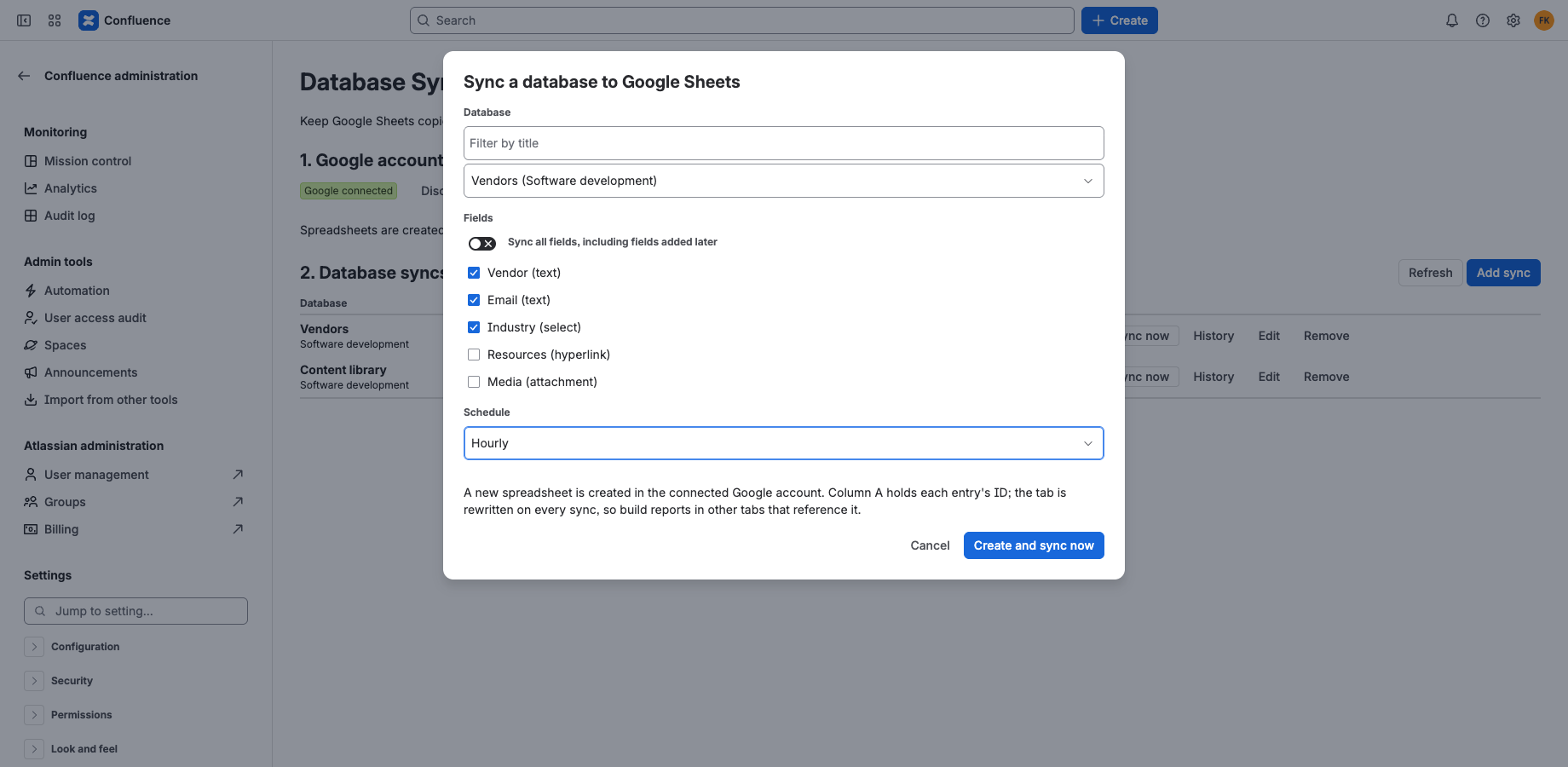
The synced tab is rewritten on every run. Build your reports in other tabs or files that reference it, for example with IMPORTRANGE or Looker Studio.
Who owns the spreadsheets
Your organisation does. Spreadsheets are created in the Google account your administrator connects, and stay there under your own Google Workspace sharing rules. We recommend a shared company account (for example reports@yourcompany.com) rather than a personal one, so the spreadsheets stay with your team if someone leaves. The spreadsheets are not shared with North Quasar, and the app's Google authorization is stored only in your Confluence site.
Status and history
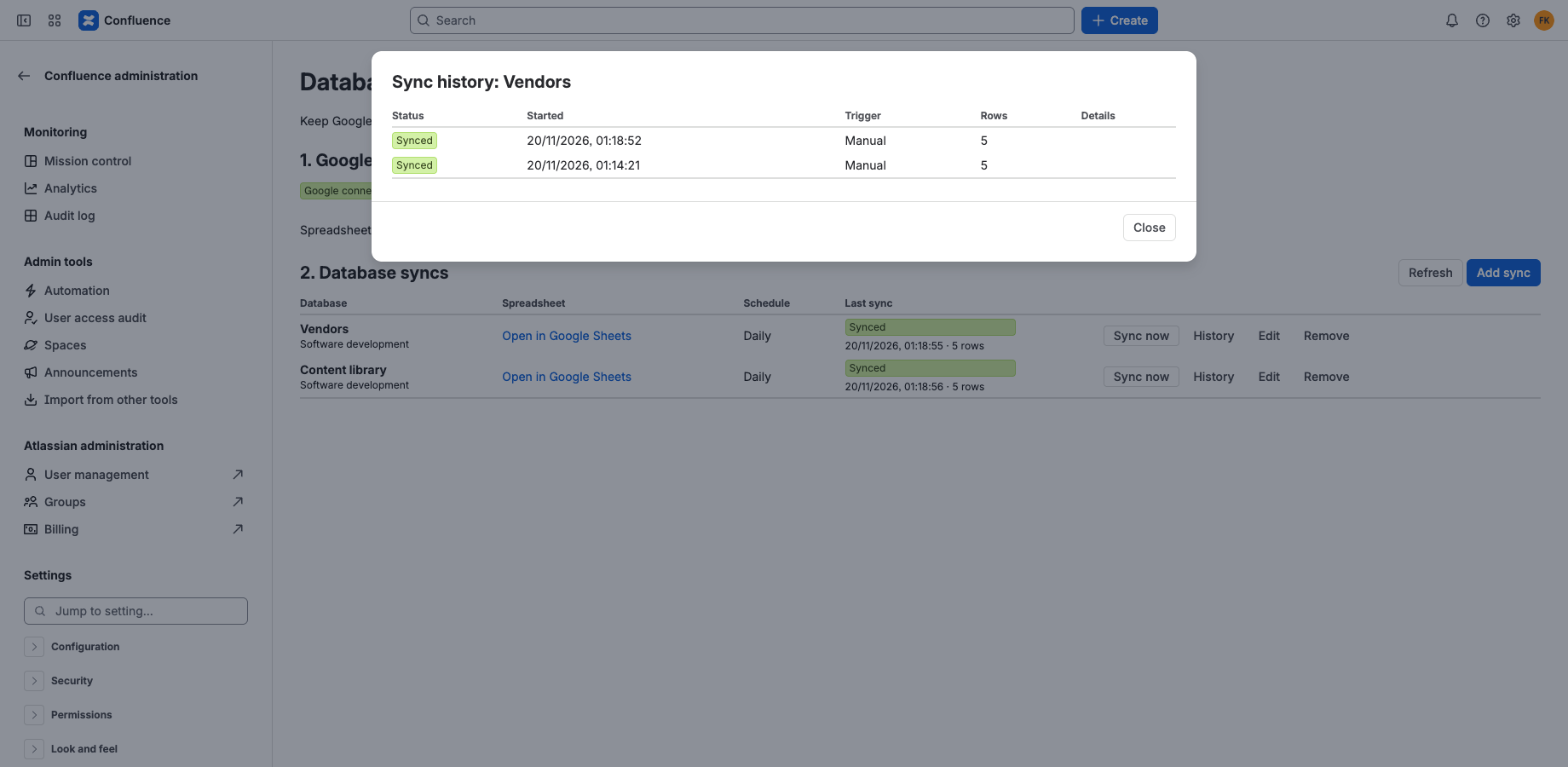
The settings page shows when each database last synced and how many rows it wrote. The history lists every run, with warnings and plain-language errors that say what to do next. If Confluence returns something unexpected, or the database is being edited heavily during a sync, the app keeps the previous copy and tries again on the next run.
Google permissions
The app asks Google only for your email address (to show which account is connected) and for access to the Drive files you use with this app (drive.file), which lets it create and update its own spreadsheets. If your Google Workspace administrator restricts third-party apps, they can allow this one in the Admin console under Security → API controls. See the Privacy Policy for exactly what is stored and how to remove it.
Good to know
- A database that was just created may take a minute or two before Confluence makes its rows available to apps, and very recent edits can take a minute or two to appear.
- If a database is being edited heavily while a sync runs, the app keeps the previous copy and tries again on the next run rather than writing an inconsistent one.
- Lookup fields (for example, details from linked pages or Jira issues) are left blank until Atlassian's API provides them.
- Databases are not available in Atlassian Government cloud.
Support
Email support@northquasar.com. We aim to reply within two business days.